AnuPpuccin
Master the Anuppuccin Obsidian theme with custom Catppuccin palettes, Rainbow Folders, CSS snippets, and multi-profile vault sync.
Anubis is credited as the original theme creator. Setup notes, fit assessments, and cautions below are Obsidian Mate editorial guidance. How we review resources
Overview
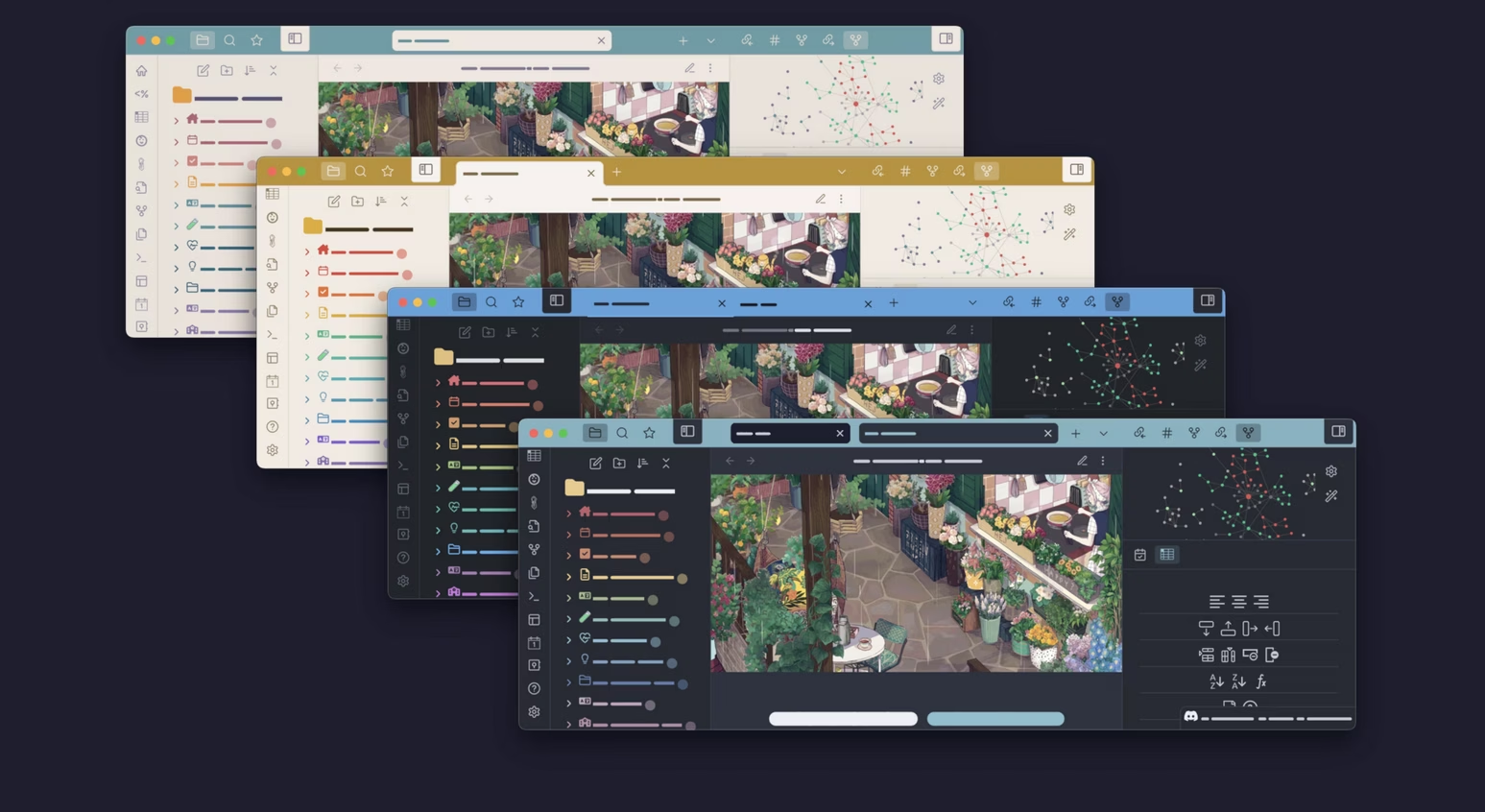
AnuPpuccin takes the beloved Catppuccin color philosophy (Mocha, Macchiato, Frappé, Latte) and builds an extensively configurable Obsidian theme around it. Out of the box it looks polished, but its true strength lies in its deep integration with the Style Settings plugin: offering multiple accent palettes, rainbow file tree folders, callout restyling, and glassmorphic UI layout options.
Key Features
- Multiple Catppuccin-inspired color palettes (Mocha, Macchiato, Frappé, Latte)
- Rainbow Folders and hierarchical tree indent guides for File Explorer
- Granular palette, layout, typography, and workspace controls through Style Settings
- Restyled callouts, Dataview tables, and code block containers
- Optional custom checkboxes, callout styling, alternate tabs, and plugin integrations
How to Install AnuPpuccin
- 1Open Settings, then Appearance in Obsidian.
- 2Under Themes, click Manage, then Browse.
- 3Search for "AnuPpuccin", then click Install and use.
- 4Go to Settings, then Community Plugins, then Browse and install the Style Settings plugin.
- 5Navigate to Settings, then Style Settings, then AnuPpuccin to unlock palettes, Rainbow Folders, and visual toggles.
How to Use AnuPpuccin
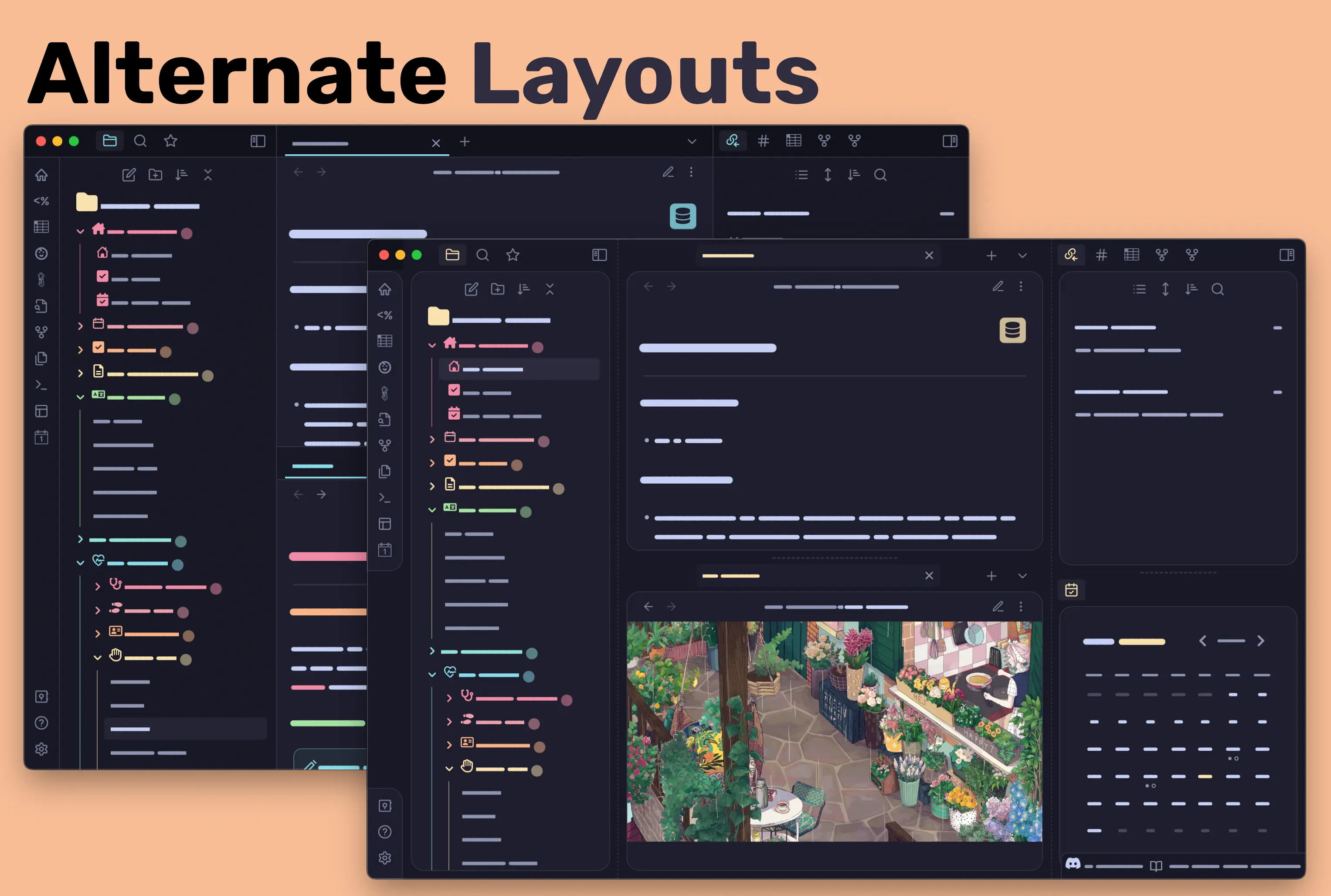
Install Style Settings, then open Settings, then Style Settings, then AnuPpuccin. Start by choosing a light and dark palette, then select one of the two documented layout variants. Rainbow Folders are off until a rainbow style is selected, so enable either the full or simple mode deliberately.
Keep custom CSS snippets separate from the theme files. This makes updates easier to review and lets you disable a broken customization without reinstalling the theme.
Visual System and Intended User
AnuPpuccin is a colorful, configuration-heavy theme built around coordinated palettes. It offers Catppuccin variants plus other schemes, two layout variants, optional alternate tabs, recolored decorations, custom checkboxes, and callout styling. It is best for users who enjoy shaping the workspace; people seeking a quiet install-and-forget theme may find the settings surface excessive.
A Controlled Setup Sequence
- Select the light and dark palettes first; the repository documents Latte as the default light palette and Mocha as the default dark palette.
- Choose the layout before tuning spacing, since layout changes alter the context for later decisions.
- Enable Full Rainbow for top-level folders or Simple Rainbow for hierarchical folder coloring, then adjust only the labels, icons, and borders you need.
- Test callouts, Kanban boards, Dataview tables, and Excalidraw canvases you actually use before copying another person's preset.
Maintenance and Compatibility
The repository currently states that AnuPpuccin is on hiatus. The theme remains usable, but users should review open issues and test it after Obsidian interface changes. Style Settings is optional for basic use but controls most advanced features. Third-party snippets and heavy blur effects can create their own compatibility or performance problems, so disable them first when troubleshooting.
Customization
AnuPpuccin is engineered for the Style Settings plugin. You can swap between multiple Catppuccin color palettes, enable rainbow folders and file explorers, restyle callouts and headings, and apply custom CSS snippets for advanced UI tweaks.
Repository Screenshots & Visual Preview
Rich preview screenshots and visual assets extracted directly from the official GitHub repository for AnuPpuccin:
Details
- Modes
- Dark & Light
Frequently Asked Questions
How is AnuPpuccin different from the official Catppuccin theme?
Both offer Catppuccin palettes. AnuPpuccin also documents multiple non-Catppuccin schemes, two layout variants, Rainbow Folders, optional callout styles, and custom checkboxes controlled through Style Settings.
Why are my Style Settings changes not applying to AnuPpuccin?
Make sure AnuPpuccin is set as your active theme under Settings, then Appearance, then Themes, and verify that the Style Settings community plugin is enabled.
How do I export my AnuPpuccin configuration to another vault?
Go to Settings, then Style Settings, scroll to the bottom of the left sidebar, click Export to Clipboard, and paste the JSON into Import on your secondary vault.
Does AnuPpuccin affect vault performance on mobile devices?
The base theme supports light and dark modes, but custom blur, animation, and third-party snippets may cost more rendering work on older devices. Disable those additions first if scrolling or pane changes feel slow.
Sources and Documentation
This guide was checked against the creator's repository and primary documentation.
Recommended Vault Templates & Plugin Combinations
Pair AnuPpuccin with pre-configured vault templates and recommended community plugins to complete your second brain setup:
Recommended Vault Templates
- Ideaverse (LYT Starter Vault)
Gold standard PKM vault setup by Nick Milo.
- PARA Starter Kit Vault
Tiago Forte's PARA method starter setup.
- Zettelkasten Starter Vault
Structured note-linking vault template for research.
Recommended Plugins
- Style Settings Plugin
Graphical customization menu for themes & CSS.
- Dataview Plugin
Database query views & dynamic dashboards.
- Templater Plugin
Dynamic template engine for automated note creation.
Related Obsidian Themes
Catppuccin
The official Catppuccin port for Obsidian. Four beautiful pastel color palettes (Latte, Frappé, Macchiato, Mocha) with warm, soothing colorscapes.
Minimal
The most popular Obsidian theme - clean, content-focused, and endlessly customizable.
Blue Topaz
A feature-rich, highly customizable theme with beautiful color palettes, extensive Style Settings support, and unique UI enhancements for power users.
Prism
A beautifully crafted, feature-packed theme with extensive customization. Offers unique layout modes, color accents, and detailed typography options.
Related Guides

7 Obsidian Plugins by Workflow: What They Add and What to Check
A workflow-based guide to seven Obsidian plugins for sync, visualization, calendars, planning, and writing, with selection criteria, limitations, and safety checks.
How to Install a Local Plugin in Obsidian (Step-by-Step Guide)
Learn how to manually install any local or beta plugin in Obsidian: even if it's not in the community store. A complete visual guide with screenshots.

How to Sync an Obsidian Vault: Choose Git, Cloud, or Obsidian Sync
Choose one safe sync architecture for Obsidian. Compare Obsidian Sync, Git, cloud-storage plugins, and desktop folders with conflict recovery, security checks, and practical limits.
Explore more Obsidian resources
Discover more plugins, themes, templates, and starter vaults to build your perfect Obsidian setup.