Minimal
The most popular Obsidian theme - clean, content-focused, and endlessly customizable.
kepano is credited as the original theme creator. Setup notes, fit assessments, and cautions below are Obsidian Mate editorial guidance. How we review resources
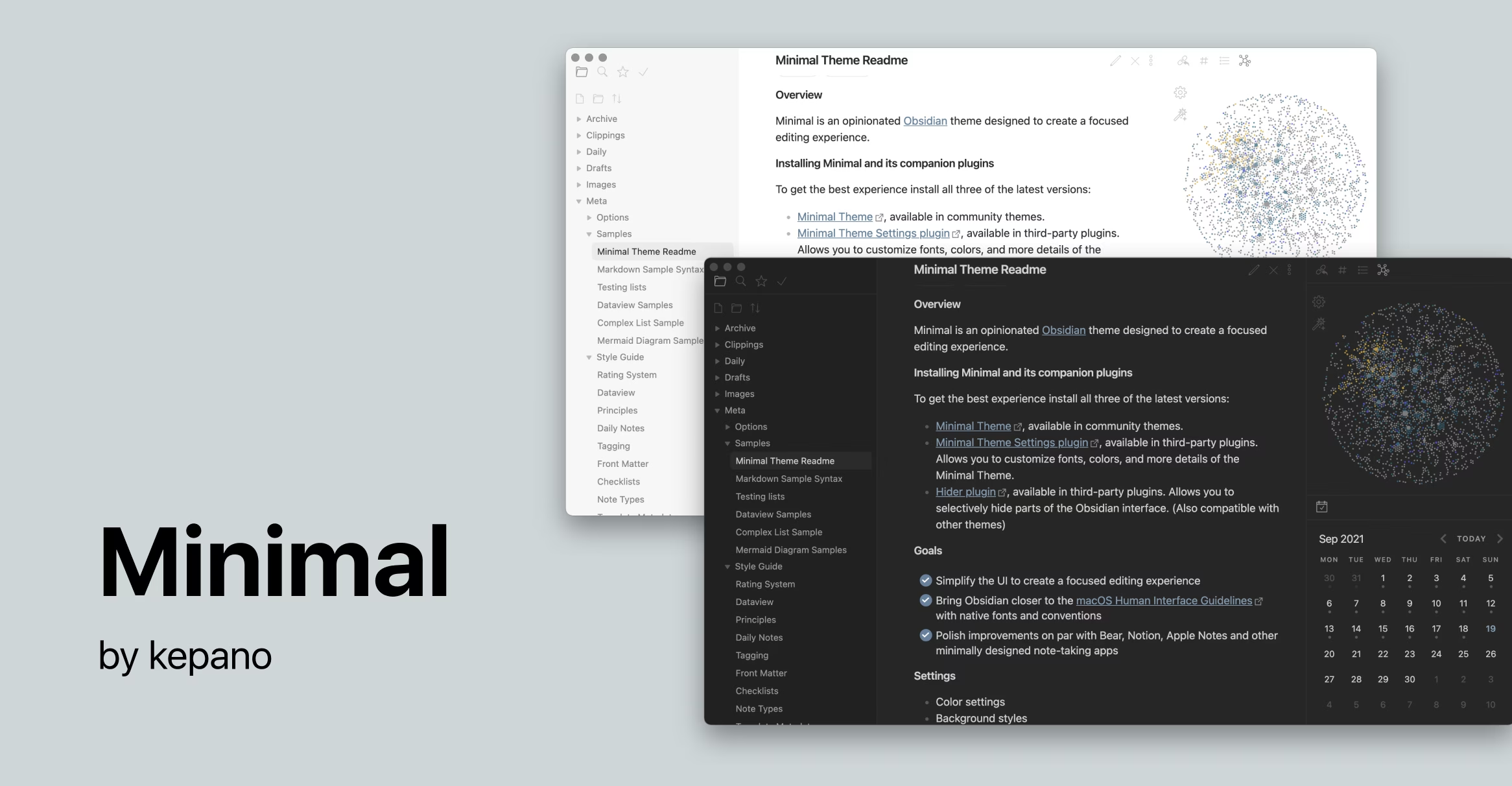
Overview
Minimal, by kepano, is the theme most Obsidian users try first, and many never leave. It strips the interface back to your content while quietly adding hundreds of tweakable options. Paired with the Style Settings and Minimal Theme Settings plugins, it becomes almost infinitely adjustable: color schemes, fonts, spacing, tables, and layout width all bend to your preference.
Key Features
- Clean, distraction-free reading and editing surface
- Light and dark mode with multiple built-in color schemes
- Deep customization via Style Settings and Minimal Theme Settings
- Adjustable line width, fonts, and table/image layouts
- Battle-tested on huge vaults and mobile
How to Install Minimal
- 1Open Settings, then Appearance in Obsidian.
- 2Under Themes, click Manage, then Browse.
- 3Search for "Minimal", then click Install and use.
- 4Install the Style Settings and Minimal Theme Settings community plugins for full control.
Visual Character and Best Fit
Minimal uses restrained chrome, generous spacing, and content-first typography in both light and dark modes. It suits writers, researchers, and dashboard builders who want one theme that can move from a quiet reading layout to dense tables or card views. Users who want decorative styling without configuration may prefer a more opinionated theme.
Configure Minimal Without CSS
- Install Minimal Theme Settings for preset color schemes, background contrast, line width, and the primary feature toggles.
- Choose separate light and dark schemes; presets documented by Minimal include Atom, Catppuccin, Dracula, Flexoki, Nord, and Solarized.
- Install Style Settings only when you want to build a custom color scheme or tune deeper variables.
- Change one group at a time and keep an exported settings copy before experimenting with many options.
Layouts, Compatibility, and Limits
Minimal includes helper classes for image grids, cards, and table layouts, plus deliberate styling for popular plugins including Calendar, Dataview, Kanban, and Outliner. Those classes must be added to a note's cssclasses property, so they are opt-in. Theme and companion-plugin updates can change visual details; re-check custom snippets after major Obsidian updates and do not assume every community plugin has dedicated styling.
Customization
Minimal is designed to be configured through two companion plugins. Style Settings exposes hundreds of toggles for colors, fonts, and spacing, while Minimal Theme Settings adds quick controls for color schemes, block width, and image grids. You can match Minimal to almost any aesthetic without writing CSS.
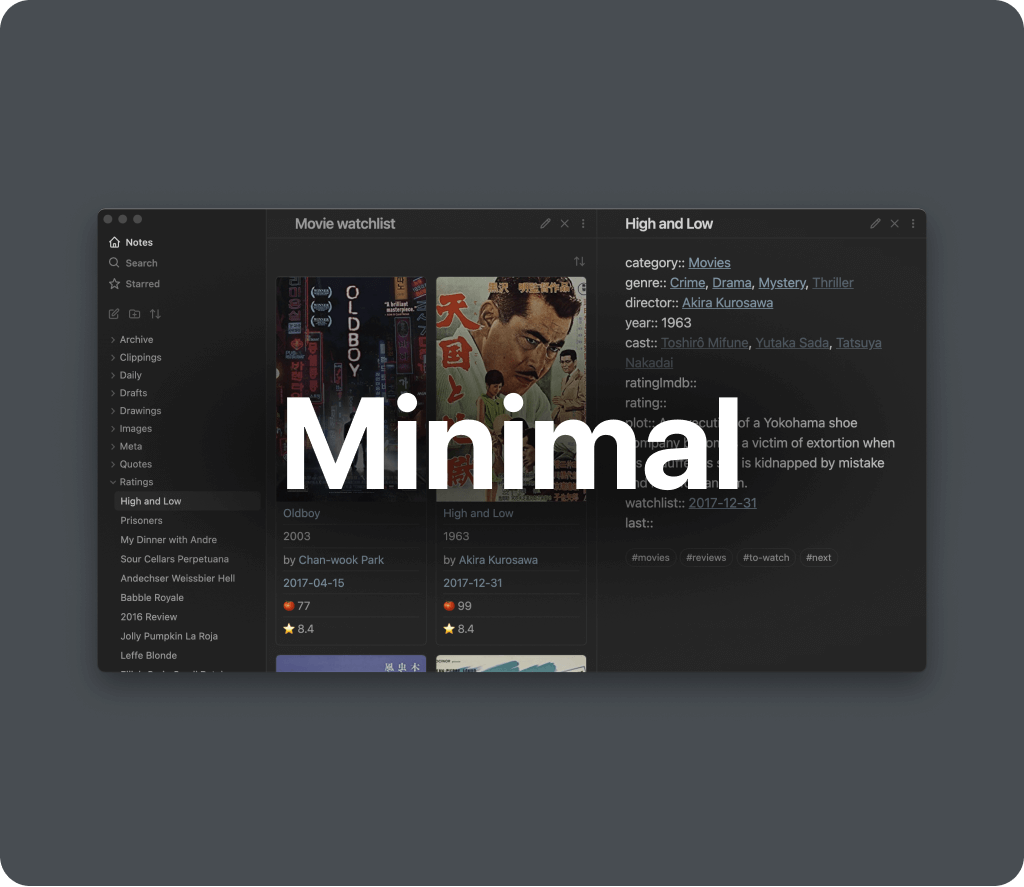
Repository Screenshots & Visual Preview
Rich preview screenshots and visual assets extracted directly from the official GitHub repository for Minimal:
Details
- Modes
- Dark & Light
Frequently Asked Questions
Do I need extra plugins to use Minimal ?
The theme works on its own, but Style Settings and Minimal Theme Settings unlock its full customization. Both are free community plugins.
Is Minimal good for mobile?
Yes. Minimal is well-optimized for Obsidian mobile and remains fast and readable on smaller screens.
Sources and Documentation
This guide was checked against the creator's repository and primary documentation.
Recommended Vault Templates & Plugin Combinations
Pair Minimal with pre-configured vault templates and recommended community plugins to complete your second brain setup:
Recommended Vault Templates
- Ideaverse (LYT Starter Vault)
Gold standard PKM vault setup by Nick Milo.
- PARA Starter Kit Vault
Tiago Forte's PARA method starter setup.
- Zettelkasten Starter Vault
Structured note-linking vault template for research.
Recommended Plugins
- Style Settings Plugin
Graphical customization menu for themes & CSS.
- Dataview Plugin
Database query views & dynamic dashboards.
- Templater Plugin
Dynamic template engine for automated note creation.
Related Obsidian Themes
Things
Inspired by the Things 3 app. A beautiful, minimal theme with clean typography, subtle accents, and excellent readability in both light and dark modes.
Flexoki
An inky, warm color scheme by the creator of Minimal. Designed for comfortable long reads with high readability and a natural, organic feel.
Shimmering Focus
A distraction-free theme built for focus. Hides UI clutter, highlights your active content, and keeps your attention where it matters: on your writing.
Border
A modern, clean theme with distinctive bordered UI elements. Highly customizable with multiple color schemes and layout options.
Related Guides
Explore more Obsidian resources
Discover more plugins, themes, templates, and starter vaults to build your perfect Obsidian setup.