Cyber Glow
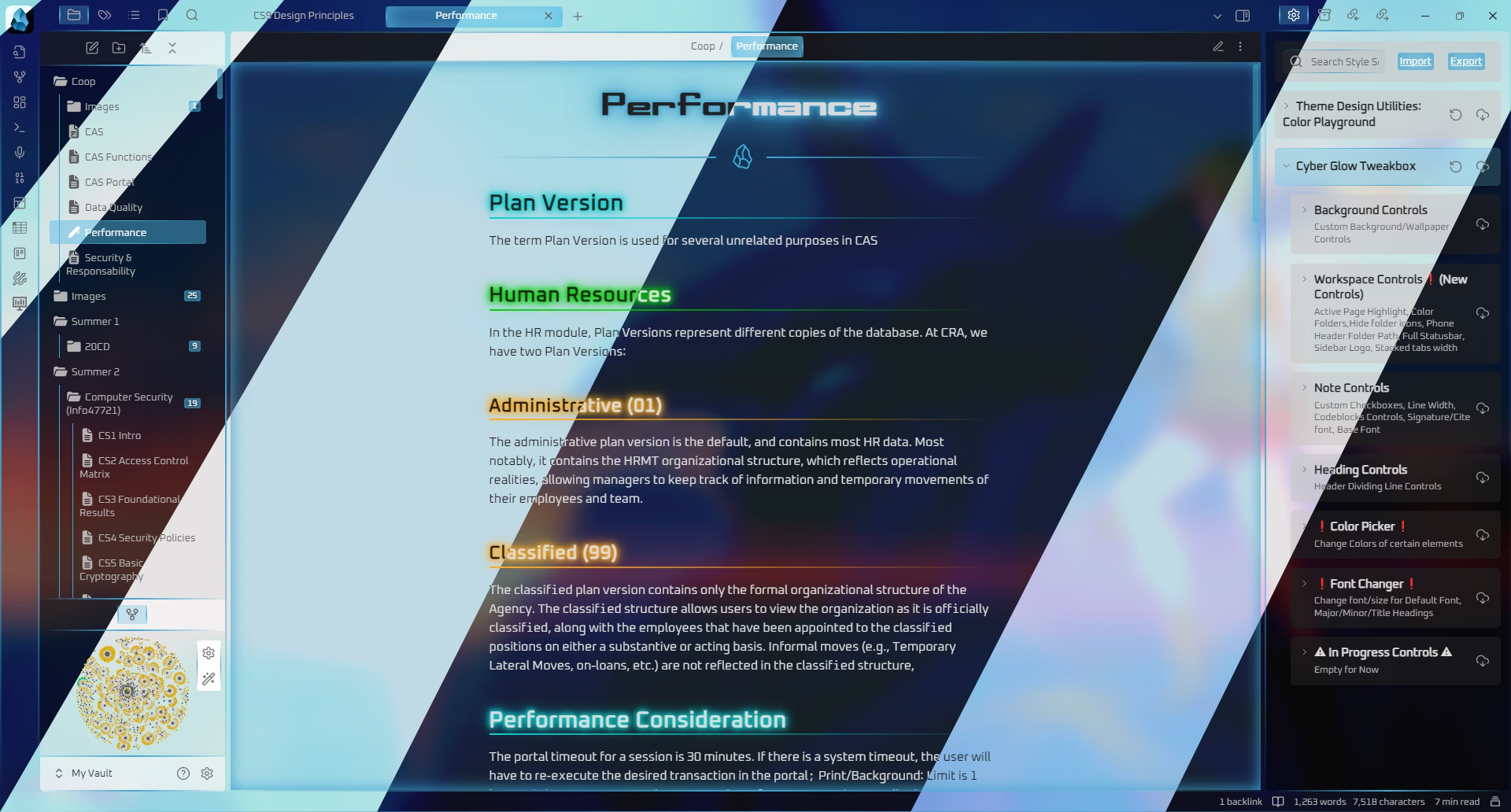
A vibrant, neon-infused cyberpunk theme with glowing accents. Transforms Obsidian into a futuristic, sci-fi writing environment.
ThePharaohArt is credited as the original theme creator. Setup notes, fit assessments, and cautions below are Obsidian Mate editorial guidance. How we review resources
Overview
A vibrant, neon-infused cyberpunk theme with glowing accents. Transforms Obsidian into a futuristic, sci-fi writing environment.
Standard Installation Instructions (Theme)
- 1.In Obsidian, open Settings, then Appearance.
- 2.Under Themes, click Manage and then Browse.
- 3.Search for Cyber Glow, then click Install and use.
- 4.Optionally install the Style Settings plugin to customize it.
Details
- Modes
- Dark & Light
Recommended Setup & Style Settings
To get the most out of Cyber Glow, follow these step-by-step setup recommendations to customize colors, accent schemes, typography, and layout width:
- 1
Install the Theme
Go to Settings, then Appearance, Themes, and Manage, search for Cyber Glow, and click Install and use.
- 2
Install Style Settings Plugin
Install the Style Settings plugin from Community Plugins to unlock hundreds of tweakable toggles for accent colors, fonts, margins, and custom CSS variables.
- 3
Customize Accent Schemes & Typography
Open Settings, then Style Settings, then Cyber Glow to switch accent color palettes, adjust line width, customize header colors, and enable special features like rainbow folders.
- 4
Recommended Vault Templates & Plugin Combinations
Pair Cyber Glow with pre-configured vault templates and recommended community plugins to complete your second brain setup:
Recommended Vault Templates
- Ideaverse (LYT Starter Vault)
Gold standard PKM vault setup by Nick Milo.
- PARA Starter Kit Vault
Tiago Forte's PARA method starter setup.
- Zettelkasten Starter Vault
Structured note-linking vault template for research.
Recommended Plugins
- Style Settings Plugin
Graphical customization menu for themes & CSS.
- Dataview Plugin
Database query views & dynamic dashboards.
- Templater Plugin
Dynamic template engine for automated note creation.
Related Obsidian Themes
AnuPpuccin
Master the Anuppuccin Obsidian theme with custom Catppuccin palettes, Rainbow Folders, CSS snippets, and multi-profile vault sync.
Catppuccin
The official Catppuccin port for Obsidian. Four beautiful pastel color palettes (Latte, Frappé, Macchiato, Mocha) with warm, soothing colorscapes.
Obsidianite
A deep, rich dark theme with vibrant accent colors. Designed for immersive editing sessions with a polished, modern look.
Tokyo Night
Inspired by the popular Tokyo Night VS Code theme. A clean, vibrant dark theme celebrating the lights of downtown Tokyo at night.
Explore more Obsidian resources
Discover more plugins, themes, templates, and starter vaults to build your perfect Obsidian setup.