Kanban Flow is a project-board plugin for Obsidian built for work that needs more structure than a checklist but less overhead than a separate project-management service. It adds a visual board, task metadata, milestones, assignees, priorities, tags, and filters while keeping its board data inside the vault.
This guide focuses on the workflow and the decisions you need to make before installing it. The plugin's current source and release are the authority for supported features and version-specific behavior. The project repository is available on GitHub, and Obsidian's community plugin documentation explains the general installation model.
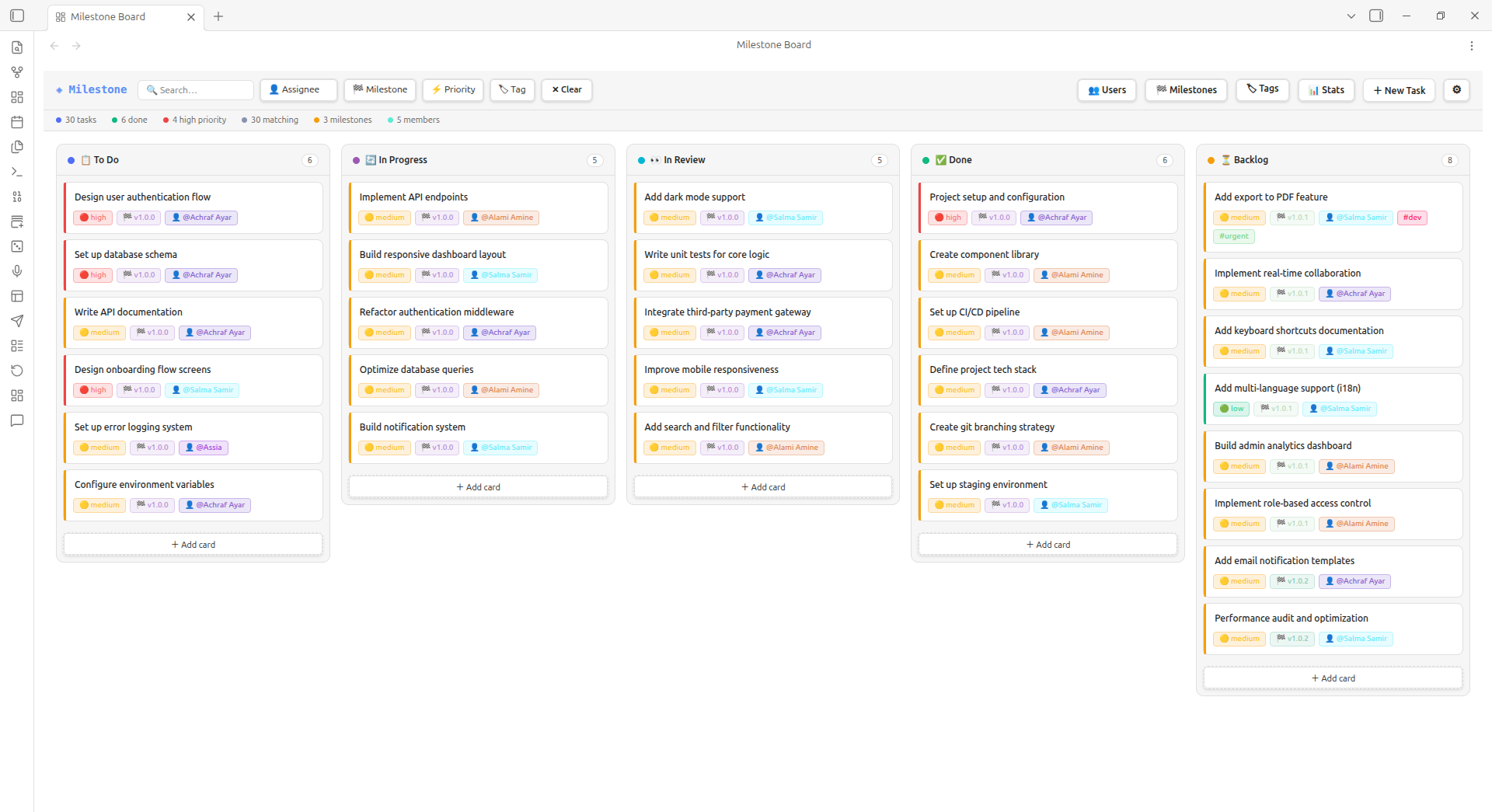
Kanban Flow board view showing task columns and project work grouped in one Obsidian workspace.
What Kanban Flow Adds
The plugin uses a board with configurable status columns. The default workflow described by the project is To Do, In Progress, In Review, Done, and Backlog, but the useful question is whether those stages match the way you already work.
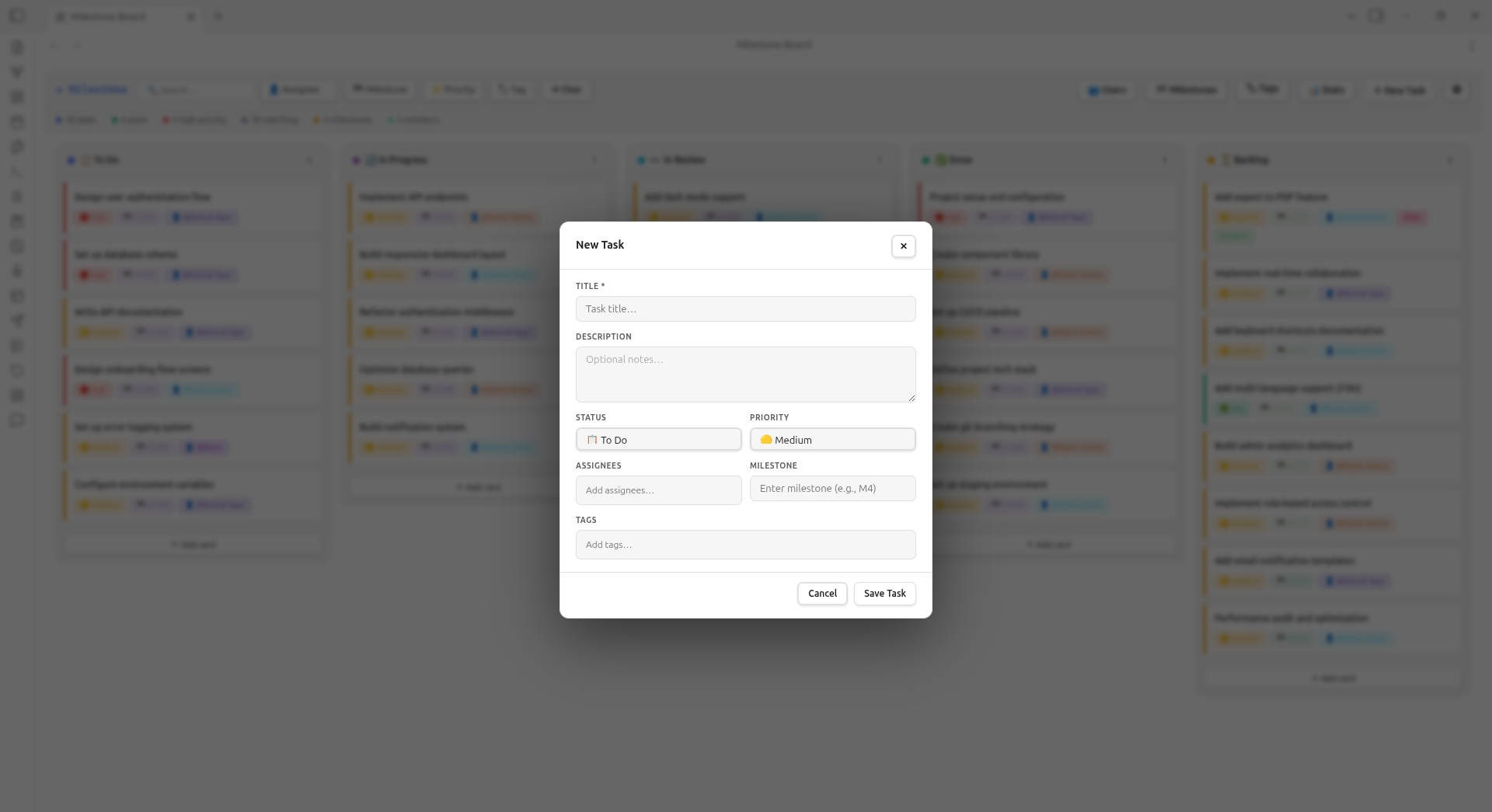
Task creation view with fields for status, priority, assignees, milestones, and tags.
Kanban Flow is a good fit when a board is the main interface for project work. It is less suitable when you need a full relational database, formal approval controls, or a hosted collaboration system with managed permissions.
Install the Plugin Safely
Use the normal Obsidian community-plugin flow when the plugin is available in the community list. If you are installing a release manually, use the project repository and inspect the release files before copying them into a vault.
For a manual install, the project identifies the plugin folder as .obsidian/plugins/milestone-board/. A typical sequence is:
- Make a backup or work in a disposable test vault.
- Download the release files from the project's current release or repository.
- Create
.obsidian/plugins/milestone-board/inside the vault. - Place the plugin's
main.js,manifest.json, andstyles.cssfiles in that folder when those files are included by the release. - Open Settings → Community plugins, reload the installed list, and enable the plugin.
- Create one test board and confirm that a card can be created, moved, edited, and reopened after restarting Obsidian.
Do not treat a downloaded ZIP as trustworthy solely because it has the right filename. Keep the source URL, release version, and installation date in your vault or project notes so you can reproduce or roll back the setup.
Create a First Board
Start with one small project. A useful test board might contain a documentation update, a bug, a research question, and a waiting item. Give each card a clear title and enough context that another person can understand the next action without opening several unrelated notes.
Use the board's task fields consistently:
- Status: the current stage of work.
- Priority: the urgency or impact, not a vague feeling that something is important.
- Assignee: the person responsible for the next action.
- Milestone: the release, course, client deliverable, or research phase.
- Tags: a small set of stable categories such as
writing,bug, orresearch.
Avoid creating a new tag for every project. A board becomes harder to filter when the same idea appears as docs, documentation, writing-docs, and content.
Use Milestones for Outcomes
Columns show movement; milestones show why the work exists. Create a milestone for an outcome such as “Publish the plugin guide” or “Complete the literature review,” then attach only the tasks needed to reach it. Review the milestone at a fixed interval and remove tasks that no longer contribute to the outcome.
This distinction prevents a common Kanban failure: a board full of cards that are moving but do not represent meaningful progress. A task should have a next action, and a milestone should have a definition of done.
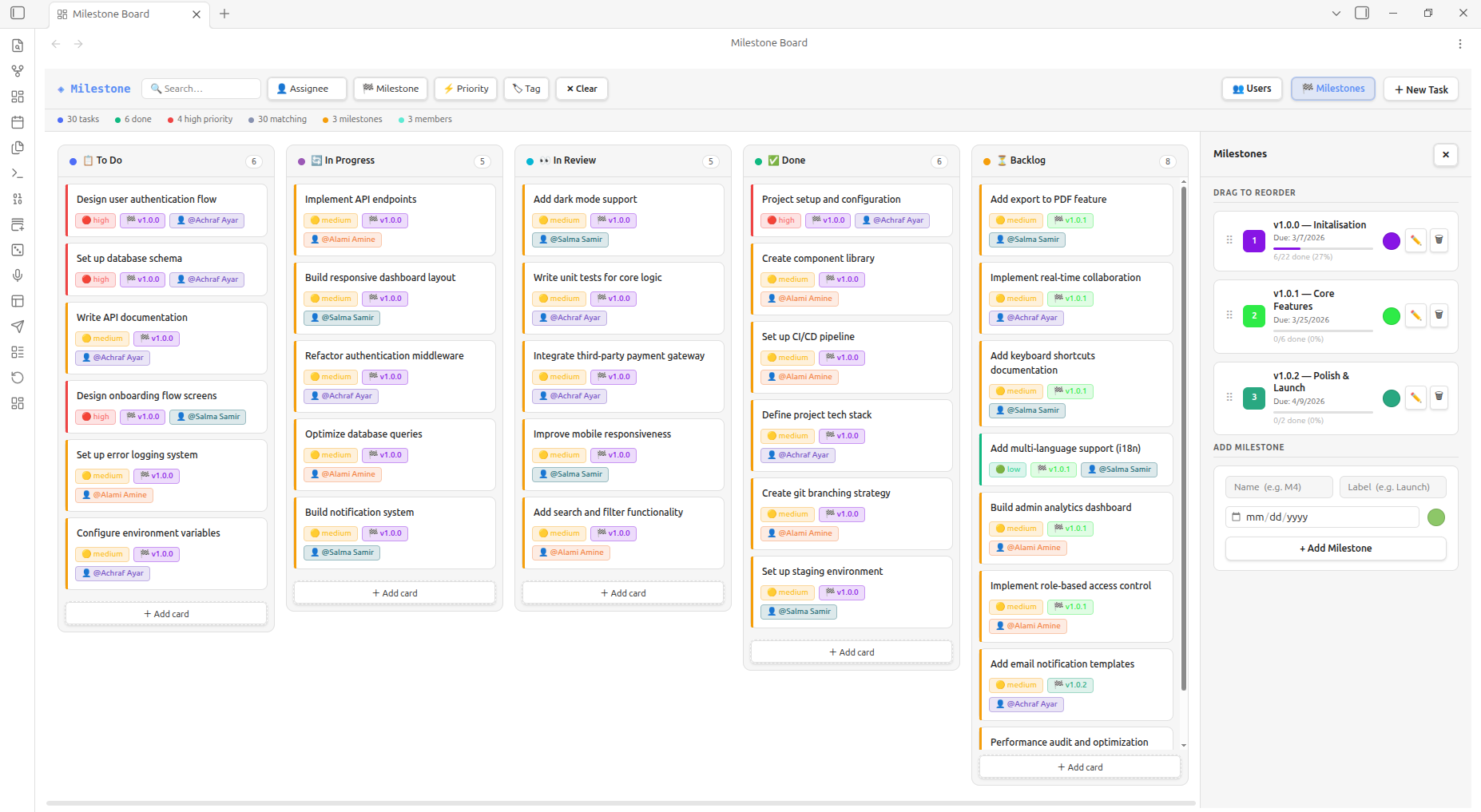
Milestone view for grouping tasks around a release, project outcome, or research phase.
Sync and Collaboration Limits
The project describes its board data as a JSON file stored inside the vault. That makes ordinary file backups and version control possible, but it does not automatically make simultaneous editing safe. Obsidian Sync, Git, and other file-sync systems can still produce conflicts when two devices edit the same JSON file at once.
Before using the board with a team:
- Choose one synchronization method for the board file.
- Make a backup copy of the JSON file.
- Have two people edit different cards and then edit the same card.
- Reopen the board on both devices and inspect the raw JSON if anything looks wrong.
- Document who resolves conflicts and how the last known good copy is restored.
For a solo vault, this is usually a manageable operational concern. For a team that needs presence indicators, granular permissions, comments, and guaranteed conflict resolution, compare the workflow with a hosted collaboration tool before making Kanban Flow the system of record.
Download and Source Links
Use the Kanban Flow GitHub repository for the current source, release notes, and issue tracker. If you use the packaged download supplied by Obsidian Mate, get the Kanban Flow ZIP and compare its version with the repository before installing it. The ZIP should contain the files documented by the current release, such as main.js, manifest.json, and styles.css.
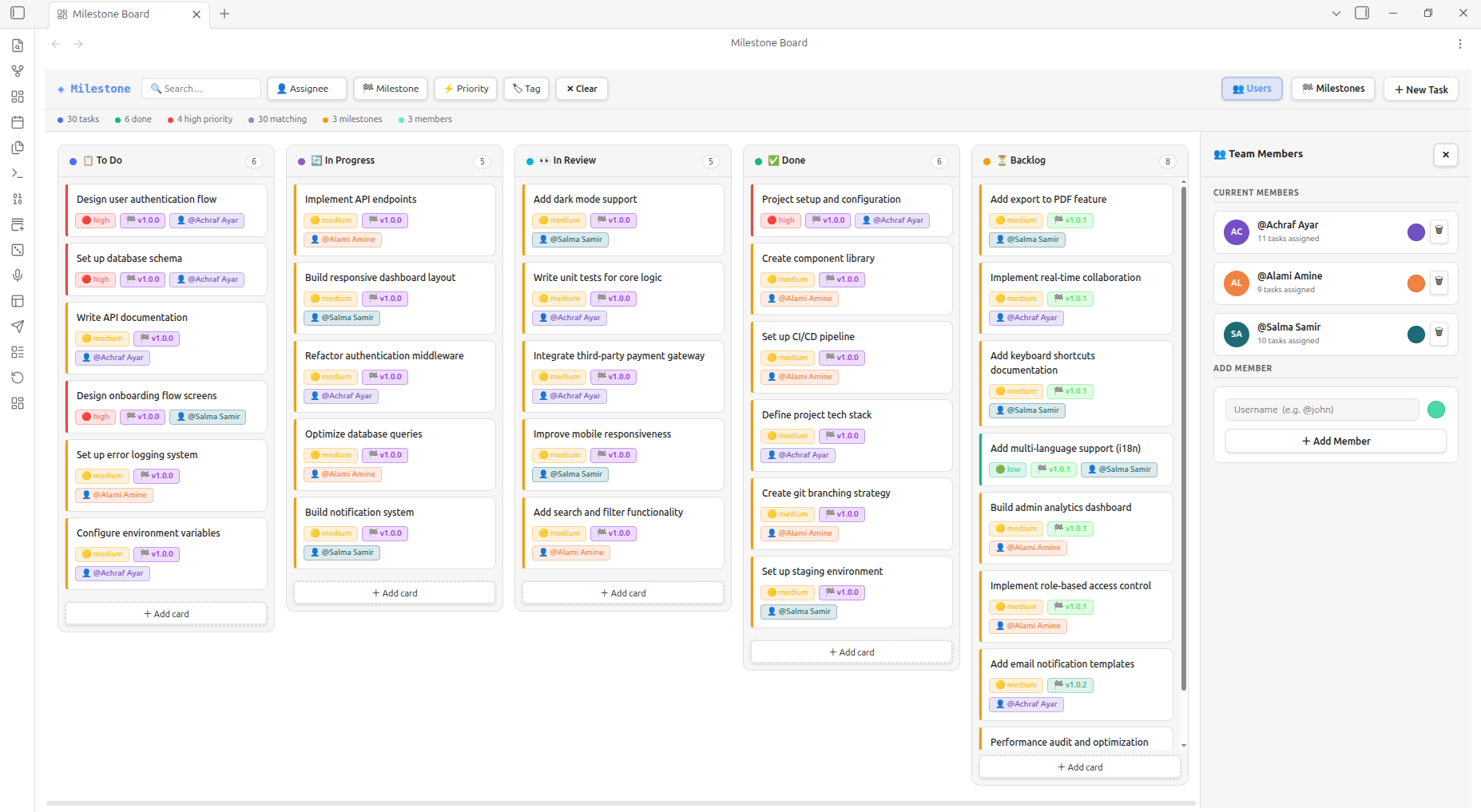
Team members panel showing how responsibility can be assigned to cards in a shared workflow.
Common Mistakes
- Installing directly into an important vault before testing the plugin folder and data file.
- Treating a board as a replacement for note context instead of linking cards to durable project notes.
- Adding too many columns and priorities until every card needs interpretation.
- Syncing the board JSON through multiple services at the same time.
- Assuming a plugin's current feature list will remain unchanged after an update.
- Deleting the board file without first checking whether it contains the only copy of task metadata.
Frequently Asked Questions
Where does Kanban Flow store its board data?
The project describes a vault-local JSON file, commonly named milestone-board.json. Confirm the current path in the plugin settings and back up the file before changing sync or storage options.
Is Kanban Flow the same as a hosted project-management service?
No. It runs inside Obsidian and stores its board data in the vault. That can improve portability and local control, but hosting, team permissions, and conflict recovery remain your responsibility.
Can I use Kanban Flow with Obsidian Sync or Git?
The project describes JSON storage that can be included in ordinary vault sync and version-control workflows. Test your chosen method with copies first, because a file-based workflow does not eliminate simultaneous-edit conflicts.
Should every note become a Kanban card?
No. Use cards for actionable work and milestones. Keep research, decisions, specifications, and long-lived context in ordinary Markdown notes, then link the task to those notes.
Who should choose another tool?
Choose another tool if your workflow depends on hosted permissions, real-time presence, complex relational reporting, or formal audit controls that the plugin does not provide.
Bottom Line
Kanban Flow is most useful as a focused visual layer over an Obsidian vault: cards make next actions visible, milestones keep projects outcome-oriented, and local JSON storage keeps the board near the notes it references. Start with one project, back up the data file, test your sync method, and expand only after the basic workflow survives a restart and a recovery check.